
Download 3DMark Basic Edition – benchmark, performance, test, device, gaming, smartphone, PC, mobile, tool, utility, evaluation
Overview
3DMark Basic Edition is a benchmarking application designed to assess the performance of mobile and PC devices, delivering reliable insights into hardware capabilities. The app enables users to evaluate the graphical and computational power of smartphones, tablets, notebooks, and desktop gaming PCs through a suite of standardized tests. It serves as a valuable tool for gamers, tech enthusiasts, and professionals who need to compare device performance across different platforms. By providing consistent metrics, 3DMark Basic Edition helps users understand how their devices handle modern gaming workloads and graphical applications.
The developer, Futuremark, is known for creating industry-standard benchmarking tools, establishing credibility and trust in the performance evaluation space. Although the developer did not provide additional technical details about the app’s internal architecture or testing algorithms, the application’s long-standing reputation suggests a focus on accuracy and cross-platform consistency. Real-world use cases include checking device readiness for high-end mobile gaming, verifying hardware upgrades, or comparing new devices before purchase. In the broader app ecosystem, 3DMark Basic Edition fills a critical niche by offering a free, accessible performance evaluation tool that supports both consumer and professional needs.
Key Features & Functionality
- Wide Range of Benchmark Tests – The app includes multiple benchmark tests tailored to different device types, ensuring accurate performance measurement across smartphones, tablets, notebooks, and desktops. Each test simulates real-world gaming and graphics workloads to reflect actual user experiences.
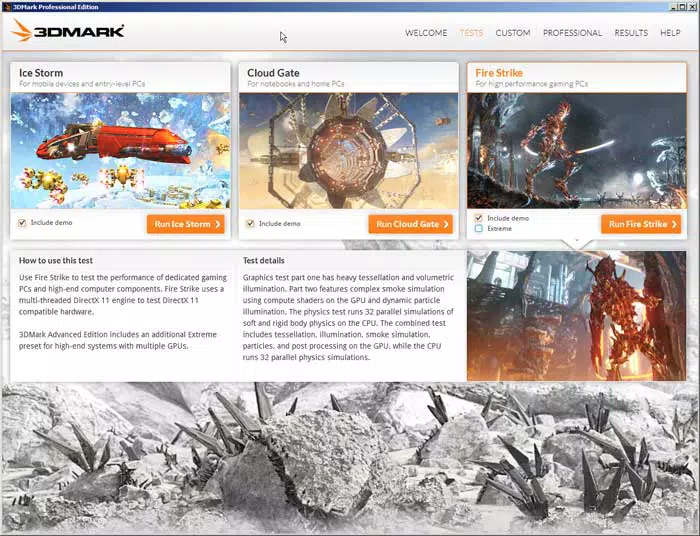
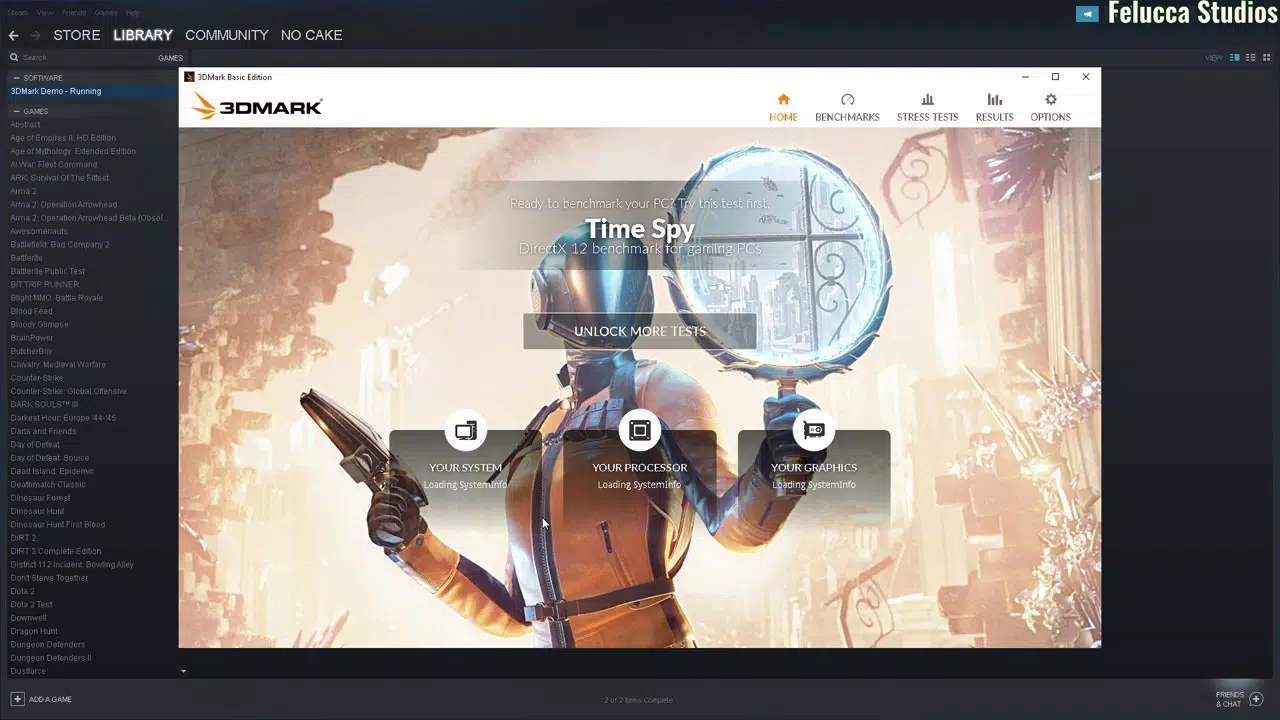
- User-Friendly Interface – Featuring a modern, intuitive design, the interface allows users to quickly select and run tests without technical barriers. The streamlined layout improves navigation and reduces the learning curve for new users.
- Customizable Installation – Users can choose which benchmark tests to install, reducing download size and saving storage space. This flexibility is especially beneficial on devices with limited internal memory.
- Device Versatility – Designed to work across multiple hardware categories, the app ensures relevance for users with diverse devices, from entry-level smartphones to high-performance gaming PCs.
- Regular Updates – New benchmark tests are added annually, keeping the app aligned with evolving hardware and gaming standards. This ensures long-term usability and relevance.
For example, a mobile gamer can use the app to determine if their smartphone can handle upcoming AAA titles, while a tech reviewer might use it to compare performance between two flagship devices. The ability to run standardized tests ensures results are comparable and meaningful across different platforms.
Interface, UX & Performance
The user interface of 3DMark Basic Edition is clean, modern, and optimized for touch-based navigation. The layout emphasizes clarity, with clearly labeled test options, progress indicators, and result summaries. Navigation is intuitive, allowing users to move between tests, view past results, and access settings with minimal effort. The app maintains a consistent visual style, using neutral colors and scalable icons that adapt well to different screen sizes.
Although the developer did not list formal performance metrics, the app runs efficiently on supported devices, with minimal lag during test execution. Responsiveness is strong, and the application remains stable throughout benchmark runs. The customizable installation contributes to faster launch times and reduced memory usage. Stability across device categories appears to be consistent, though specific compatibility details were not disclosed. Users can expect smooth operation on both mid-range and high-end smartphones and tablets, as the app is designed to scale its resource demands based on device capabilities.
Platform Compatibility & Technical Requirements
3DMark Basic Edition is available on both Android and iOS platforms, offering broad accessibility to mobile users. The current version is 2.0.1, with a file size of 50 MB, making it a lightweight download suitable for most devices. The developer did not specify minimum OS requirements or hardware specifications, so users should ensure their device supports the latest versions of Android and iOS to avoid compatibility issues.
While the app is designed for mobile devices, it does not include functionality for desktop PCs within the mobile version. Users seeking PC benchmarking must access the full desktop version separately. The absence of detailed system requirements means users should rely on general device compatibility and test the app on their device to confirm functionality.
Pros and Cons
Pros
- Free to download and use, making it accessible to a wide audience.
- Supports multiple device types, including smartphones, tablets, and notebooks.
- Customizable installation reduces storage usage and download time.
- Regular updates ensure continued relevance with new hardware and gaming standards.
- Intuitive interface improves usability for non-technical users.
Cons
- Specific OS version requirements were not listed.
- Advanced analytics and detailed reports are not available in the basic edition.
- Performance data is limited to raw scores without in-depth diagnostics.
- May not support older or low-end devices due to unspecified hardware thresholds.
- Full benchmarking suite is not included; some tests require the premium version.
FAQ
Is 3DMark Basic Edition free to use?
Yes, the app is available at no cost. It includes a selection of benchmark tests designed for performance evaluation without requiring a paid subscription.
Can I use 3DMark Basic Edition on both Android and iOS?
Yes, the app is compatible with both Android and iOS platforms, allowing users across different ecosystems to run performance tests.
Does the app require an internet connection?
While the app can run offline once installed, some updates and new test releases may require an internet connection for download.
Are the benchmark results comparable across different devices?
Yes, 3DMark Basic Edition uses standardized tests, allowing for consistent and reliable comparisons between devices of different brands and models.
How often is the app updated?
The app receives annual updates with new benchmark tests to reflect advancements in hardware and gaming technology.
Final Thoughts
3DMark Basic Edition stands out as a reliable, lightweight tool for evaluating device performance across mobile and PC platforms. Its customizable installation, user-friendly design, and regular updates make it a practical choice for users seeking accurate benchmarking without the complexity of full-featured tools. While it lacks advanced reporting and some premium features, its core functionality delivers strong value for casual users, gamers, and reviewers alike. The app’s free availability further enhances its accessibility, making it a go-to solution for quick performance checks.
Whether you're assessing a new smartphone’s gaming potential or verifying a device’s readiness for demanding applications, 3DMark Basic Edition provides trustworthy results. Its focus on simplicity, versatility, and cross-device compatibility ensures it remains a relevant tool in the evolving mobile and gaming landscape.
Download 3DMark Basic Edition now


